Suica, Pasmo & ICOCA: The Easy Guide to Japan's Transit Cards
Some links on this page are affiliate links. If you book or buy through them we may earn a commission at no extra cost to you. We only recommend things we would use ourselves.
You should use a rechargeable IC card in Japan, and which one you pick matters far less than most travel articles suggest. According to the operators, ten transport IC cards (including Suica, PASMO and ICOCA) are interoperable nationwide[1], so a Suica bought in Tokyo and an ICOCA bought in Osaka do the same job for trains, subways and buses in the areas they cover.
This guide explains how the cards work, the two realistic ways to get one, how to put Suica on an iPhone, and when you are better off with a different ticket. Every number and rule below links to the operator's own page in the Sources box at the bottom.
What an IC card actually is
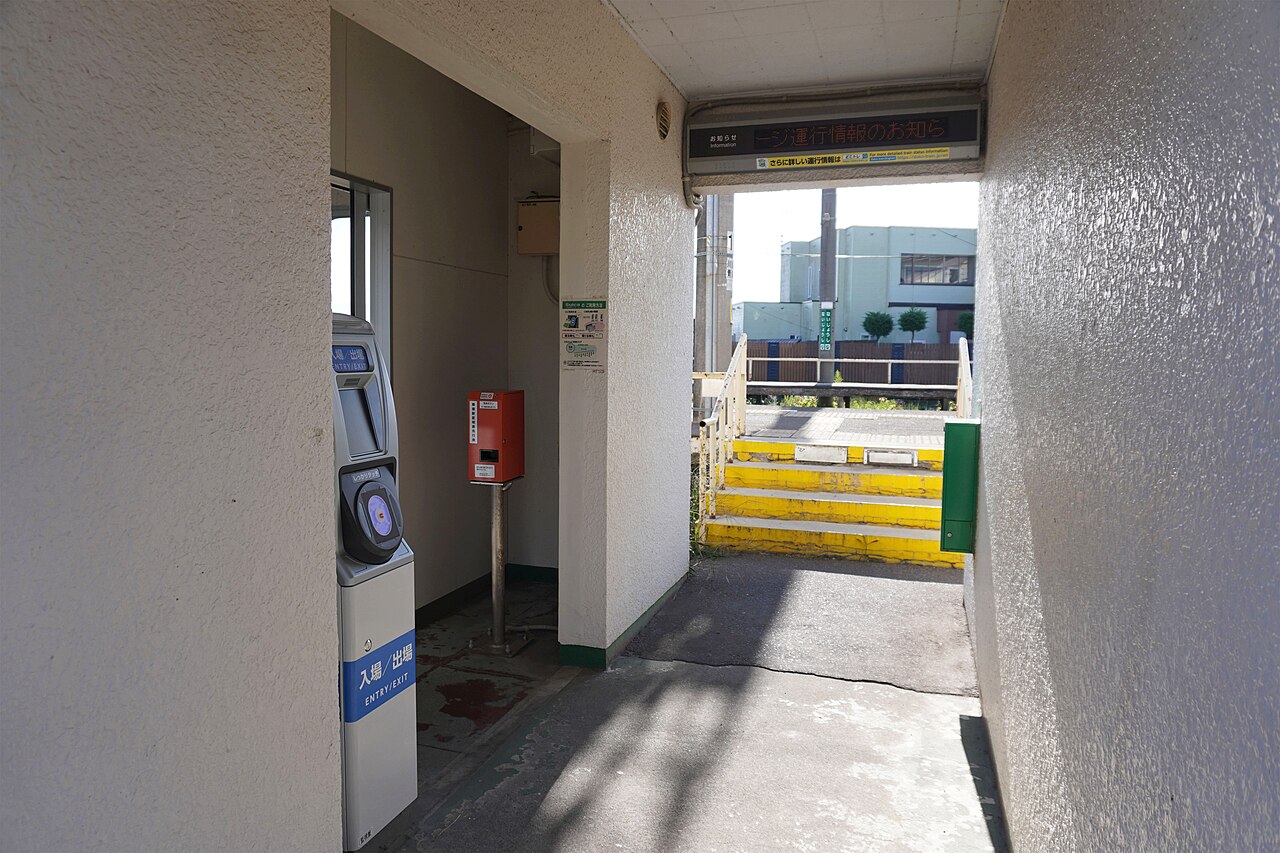
An IC card is a contactless prepaid card. You tap it on the reader at the gate, the fare is taken automatically when you exit, and you top it up with cash at a machine. It removes the hardest part of the first day in a Japanese station: working out the fare from a route map before you can buy a paper ticket.
ten transport IC cards (including Suica, PASMO and ICOCA) are interoperable nationwide[1]. That is the headline, but note the limit. PASMO's own page says this does not mean PASMO can be used on every railway and bus line in Japan[2], so a rural line or a small bus company can still be the exception. When you plan a trip outside the big cities, check the local operator's page before you rely on the card.
Beyond trains, the same page says transit IC cards can also be used for cashless payments at participating stores[3]. That is a real reason to carry one even if you mostly walk.
Suica vs Pasmo vs ICOCA: which one
Our view: for a visitor the three names mean the same thing, so choose by what you can get easily. Which cards are sold to visitors, and where, is decided by the operators and changes over time; for example, the PASMO site announces TOURIST PASMO, an IC card for international visitors (check the page for current availability)[4].
Always read the issuing operator's own page for the current rules, price and validity of the card you buy, because the terms are set by the operator and can change.
Adding Suica to your iPhone
Apple's support page says you can add a Suica, PASMO, ICOCA or TOICA card to Apple Wallet on an iPhone or Apple Watch[5]. To do it you need an iPhone 8 or later, an Apple Account with two-factor authentication, and an eligible payment card in Apple Wallet[6]. You choose an amount to put on the card inside the Wallet app, and the same page walks through the steps and the process for moving a physical card into Wallet.
Apple also explains that Express Mode lets you pay for transit rides with just a tap, and can be turned on for only one card at a time[7]. If you hold more than one transit card in Wallet, choose which one is on Express Mode.
For Android, PASMO's own page says Android devices purchased outside of Japan are, in general, not compatible with Mobile PASMO[8]. Android users should plan on a physical card and check their phone maker's support page.

How to use it on day one
At a ticket gate, hold the card flat against the reader until it beeps and the gate opens. On exit the gate takes the fare. On buses, tap at the reader by the door; the boarding and exit rules differ by bus type, so watch what the locals do the first time. At a convenience store, tell the cashier you will pay by IC card, then tap on the reader. Top-up methods differ by card and by phone, so follow the issuing operator's or Apple's instructions.
A sensible habit is to top up whenever the balance falls below the cost of a couple of rides, so you never meet a blocked gate during rush hour.
When an IC card is not the best choice
An IC card pays standard fares. It is a convenience product, not a discount product.
- Several long bullet train journeys in one week. Compare the individual fares with a pass. Our rail pass guide shows how to do the sum, and you can check current options through an authorised Japan Rail Pass seller.
- Guided days out. If you would rather have transport and a guide handled for you, bookable tours on Klook can replace several train legs with one booking.
- Heavy sightseeing in one city. Compare a day pass with your planned rides before you buy either.
Common mistakes first-timers make
- Letting the balance run low at a gate. The gate will block you until you add value at a fare-adjustment or top-up machine.
- Tapping with the wrong item. If your wallet holds several cards, take out the one you want to use before you tap.
- Loading too much value. Check the operator's refund and expiry rules for your type of card before you load a large amount.
- Assuming it works on every line. Plan rural trips by checking the local operator.
Where this fits in your trip
Data matters as much as transport on a first trip, so see our eSIM vs pocket WiFi comparison. For the full plan, start from the 7-day itinerary, and sort out where to sleep with our guide to where to stay in Tokyo.
FAQ
Can I use one IC card across different cities?
Yes, in the areas where the cards are accepted. The operators list ten interoperable cards; see the PASMO page in the Sources box for the list.
What do I need to add a card to my iPhone?
Apple lists the requirements: an iPhone 8 or later, an Apple Account with two-factor authentication, and an eligible payment card in Apple Wallet[6]. Read Apple's page for any further notes that apply to your region.
Is an IC card cheaper than buying single tickets?
No. It pays standard fares. The benefit is speed and convenience.
What happens if I lose the card?
The rules depend on the card type, so check the operator's page for the card you hold before you travel.
Should I get a rail pass as well?
Only if the long-distance journeys you plan cost more than the pass. For city-based trips an IC card alone is usually enough.
Sources
- Nationwide IC card interoperability: PASMO official site
- Limits of IC card coverage: PASMO official site: What is PASMO?
- Shopping use of IC cards: PASMO official site: What is PASMO?
- Visitor IC card announced by PASMO: PASMO official site: What is PASMO?
- Transit cards that Apple Wallet supports in Japan: Apple Support: Add a transit card to Apple Wallet in Japan
- What you need to add a transit card to Apple Wallet: Apple Support: Add a transit card to Apple Wallet in Japan
- Express Mode for transit cards in Apple Wallet: Apple Support: Add a transit card to Apple Wallet in Japan
- Android phones and Mobile PASMO: PASMO official site: What is PASMO?